Custom image black screen
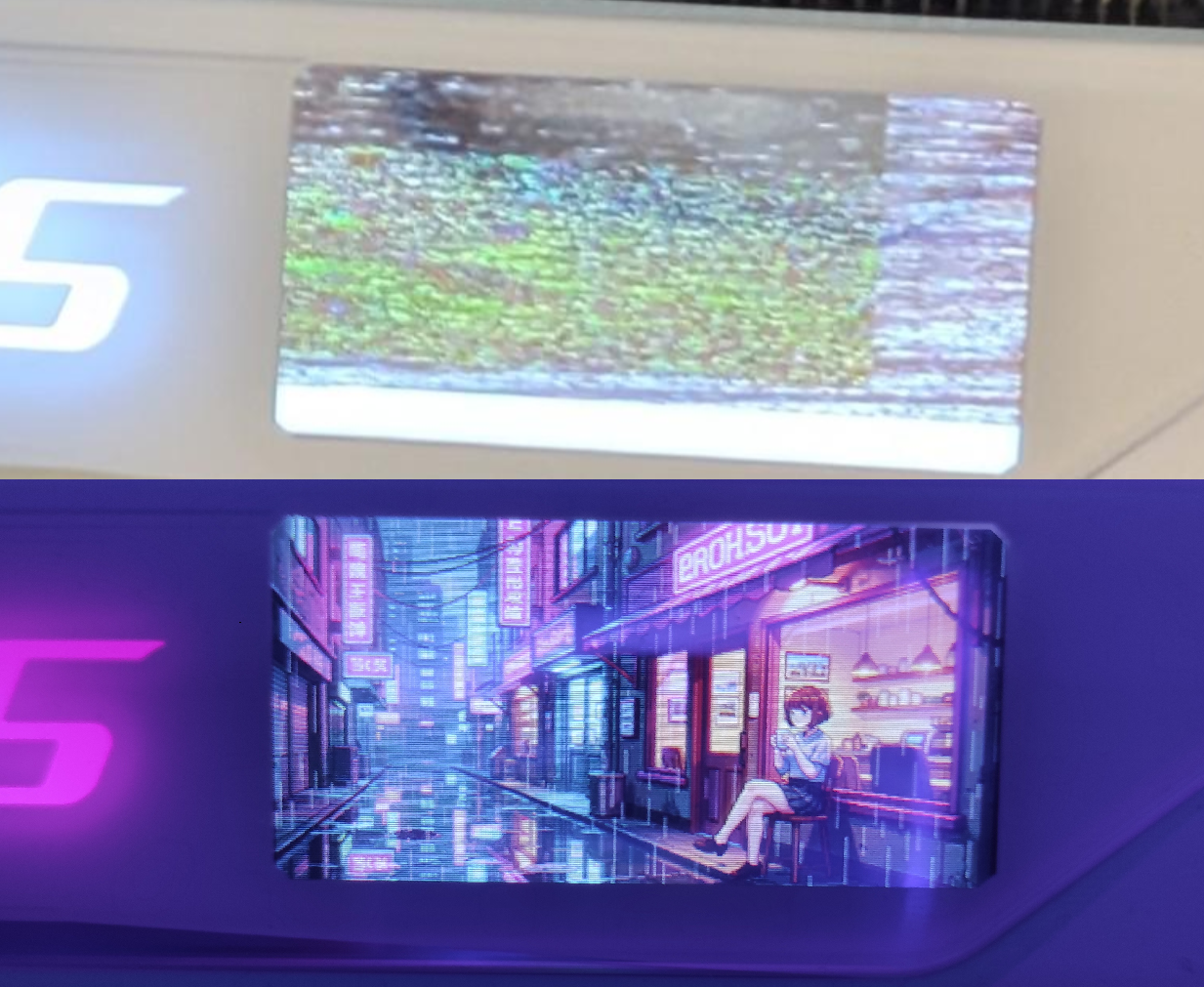
Static image uploads can update only the upper part of the AORUS LCD panel while the lower region stays black, stale, or incomplete.
AORUS LCD panel bug fix
A full investigation of a GIGABYTE AORUS RTX 5080 MASTER ICE LCD panel bug where GIGABYTE Control Center custom image and GIF uploads appeared successful, but the AORUS LCD screen could stay black, partially updated, stale, frozen, or corrupted.
Symptoms
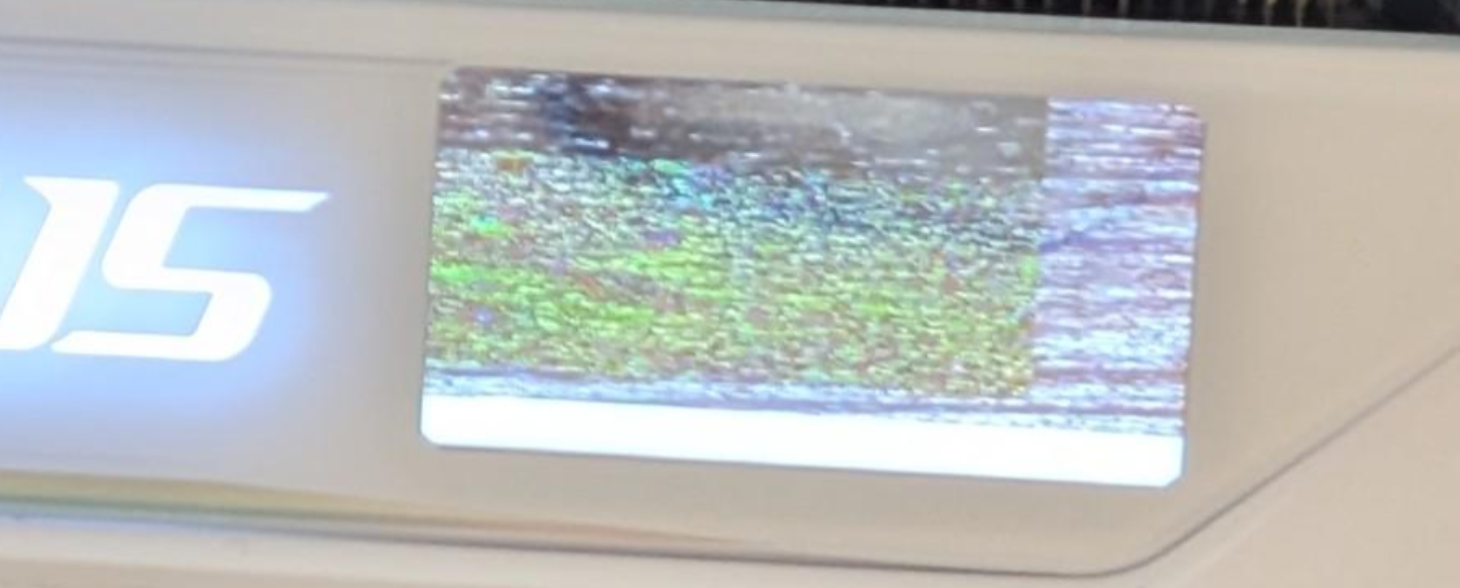
Static image uploads can update only the upper part of the AORUS LCD panel while the lower region stays black, stale, or incomplete.
GIGABYTE Control Center can report a successful upload even when the panel displays corrupted, partially erased, or stale custom image content.
Custom GIF uploads can freeze, stay on a loading state, show corrupted frames, or leave the LCD controller in an inconsistent state.
Temporary workarounds such as reinstalling GIGABYTE Control Center, reinstalling LCD firmware, clearing caches, or switching LCD modes may disturb the state, but the same AORUS LCD issue can return if the underlying firmware-side flash operation fails silently.
What happened
The original symptom looked like a host-side converter or upload issue: static images could update only the upper part of the LCD while the lower region stayed black or stale, and GIF uploads could freeze, stay on loading, or display corrupted frames.
Offline rendering proved that the static image payload entering the upload path was complete. I2C tracing showed that host-side chunking and visible transport results were not enough to explain the failure. The investigation moved from Windows-side upload code into the LCD controller AP firmware.
Visual evidence
Root cause
The AP firmware's SPI status/WIP poll helper waited with a timeout count of 300, which was too short for the observed native 64 KB erase path.
FUN_0000BA44: SPI status/WIP poll helperThe 64 KB erase helper issued the block erase, called the status poll helper, then forced success instead of propagating the poll result.
FUN_0000B4D0: native 64 KB block erase helperThe 256-byte page-program helper used the same status poll and also forced success, even though the F1.4 upload loop checks its return before advancing.
FUN_0000B6CC: 256-byte page-program helperValidated local AP/AP1 repair for the tested firmware package
AP offset 0xAA4A: 4F F4 96 70 -> 40 F2 E8 30   ; timeout 300 -> 1000
AP offset 0xA534: 01 20       -> 00 BF         ; preserve 64 KB erase result
AP offset 0xA74E: 01 20       -> 00 BF         ; preserve page-program result
Scope and safety
My assessment is that similar symptoms may exist across more AORUS LCD panel firmware builds, but the published repair tool, hashes, offsets, and flashing flow are validated only against the official GIGABYTE LCD firmware 1.4 package for the tested AORUS RTX 5080 MASTER ICE card variant.
Other models should not reuse these offsets blindly. The correct approach is to analyze that model's AP/AP1 firmware payloads and inspect the corresponding 300-count status-poll timeout and 64 KB erase result-propagation path.
Repair tool
Select the locally extracted official GIGABYTE LCD firmware folder containing AP, AP1, and GvLcdFwUpdate.dll.
The tool validates exact file sizes, SHA256 hashes, guard bytes, patched output hash, and CRC before flashing.
Flashing starts only after the user presses Start in the GUI. The repository does not redistribute GIGABYTE firmware or DLLs.
FAQ
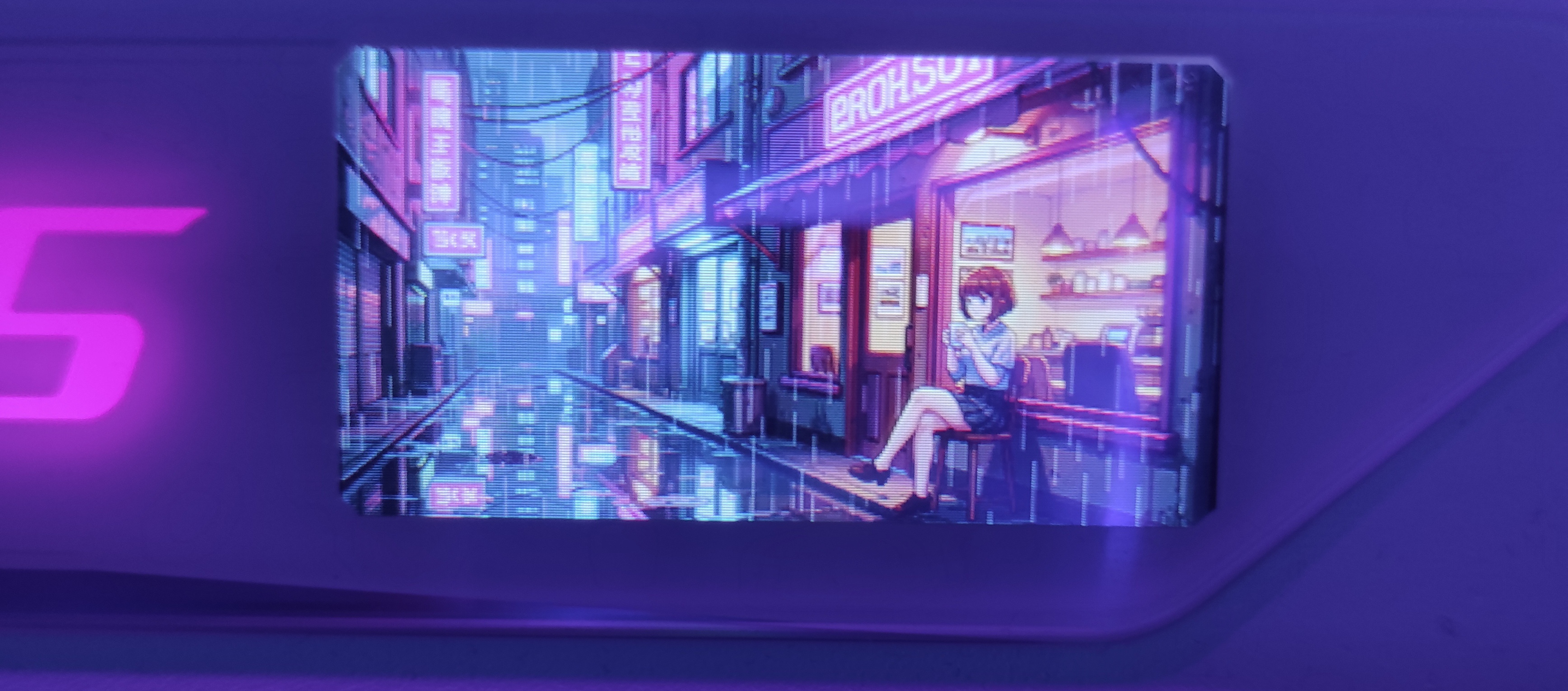
For the tested GIGABYTE AORUS RTX 5080 MASTER ICE LCD panel and official LCD firmware 1.4 package, the local AP firmware repair fixed the static custom image corruption and the custom GIF corruption observed during testing.
The Windows-side upload path can report success while the panel-side AP firmware erase/write path leaves stale, incomplete, or corrupted flash content behind.
My personal assessment, based on my investigation so far, is that this may be a broader recurring issue affecting other AORUS LCD panel models as well. However, my validation and repair testing apply only to the AORUS RTX 5080 MASTER ICE firmware package tested in this repository. Other panels should be analyzed separately using the research material and tooling provided here. The most important area to inspect first is the firmware erase/write path, especially the 64 KB erase path and its completion/status handling.
On my own machine, I have repeatedly uploaded custom images and GIFs after the repair without encountering any further issues, and the LCD panel has continued to work normally. However, flashing firmware is inherently risky. The patcher attempts to apply the necessary safety checks before flashing, but all responsibility remains with the user. If you are not experienced with firmware flashing or reverse-engineering workflows, consider asking an AI assistant or another technical reviewer to analyze this repository with you before proceeding.
Search terms that may describe this problem include AORUS LCD panel bug, AORUS LCD black screen issue, GIGABYTE Control Center LCD problem, corrupted custom image upload, frozen GIF upload, and partial LCD screen update.
This repository does not redistribute proprietary GIGABYTE firmware images, DLLs, installers, extracted packages, raw traces, or patched vendor binaries.
Research trail
Confirmed the GPU and LCD controller were reachable through the existing GIGABYTE/NVAPI I2C path.
Captured and rendered static image payloads offline, ruling out the image converter as the main failure.
Mapped the host upload sequence and LCD commands such as F1, F2, E1, E5, E7, F3, and AA.
Moved into AP firmware analysis after clean apply sequences and host-side patching did not explain persistent corruption.
Validated that repairing the native 64 KB erase path fixed both static images and custom GIFs locally.
After one later GIF destabilized the panel, confirmed and repaired a second forced-success defect in the page-program helper. The same 5.31 MB converted GIF payload then uploaded successfully, while direct causation remains conservatively unclaimed.